


Synology DS1821+ DiskStation 8-Bay Network Storage Enclosure
£1,227.42 inc.VAT / £1,022.85 exc.VAT
Synology DS1821+ DiskStation 8-Bay NAS Enclosure w/ 2 x M.2 NVMe Slots (4GB RAM)
Synology DS1821+ DiskStation 8-Bay Network Storage Enclosure is a powerful 8-bay network attached storage solution designed to store and protect mission-critical data.
Out of stock

Synology DS1821+ DiskStation 8-Bay NAS Enclosure w/ 2 x M.2 NVMe Slots (4GB RAM)
Synology DS1821+ DiskStation 8-Bay Network Storage Enclosure
Synology DS1821+ DiskStation 8-Bay Network Storage Enclosure is a powerful 8-bay network attached storage solution designed to store and protect mission-critical data.
Designed to tackle increasing amounts of unstructured data, the low-noise, desktop form-factor of the DS1821+ is built for both SOHO and SMB environments.
With performance over 110K or 177% higher, 4K random read IOPS than its predecessor, the DS1821+ is fast, with ample room for scalability.
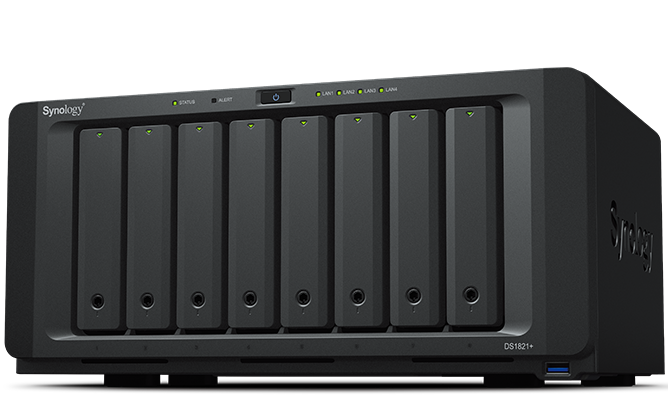
High capacity storage and data protection for anyone
Key Features
- Capacity
Un-populated eight (8) bay Network Attached NAS Storage enclosure. - Accelerated Performance
177% higher 4K random read IOPS and 76% faster sequential write speeds compared to its predecessor. - Maximize Performance
Turbocharge HDD arrays by 20x or more without occupying drive bays using dual built-in M.2 slots (un-populated) for NVMe SSD cache. - Expansion Made Easy
Scale-up on-demand to eighteen (18) drives with two (2) DX517 expansion units (sold separately). - Includes Everything to Protect Your Data
Back up critical data to and from public clouds, Windows PCs and servers, virtual machines, and data on the NAS with Synology Active Backup suite, Hyper Backup, and Snapshot Replication. - Ready for 10GbE
Add in a 10GbE SFP+ or RJ45 NIC (sold separately) to instantly increase network bandwidth based on your existing infrastructure.
Versatile Storage Powerhouse in a Single Solution
The Synology DS1821+ is designed for multi-purpose use, suitable for a wide range of usage environments. The compact 14L desktop form-factor makes it easy to store away whether it is at home or in a quiet office environment.
- Up to 110,000 4K random read IOPS and 2300 MB/s sequential write speeds for demanding workloads
- Dual (un-populated) M.2 2280 slots for NVMe SSD lets you maximize performance and capacity efficiently
- Features eight (8) bays, supporting both SATA HDD/SSD 2.5″ and 3.5″ drives
- Can be expanded by using two (2) Synology DX517 expansion units (sold separately) for a total capacity of eighteen (18) bays
- Powered by Synology DSM, our unified data management operating system
Robust Data Protection with Btrfs
The DS1821+ uses the Btrfs file system optimized by Synology to offer both high reliability and high performance. Btrfs supports advanced storage technologies that meet the needs of modern business:
- Advanced snapshot technology provides schedulable and near-instantaneous data protection of shared folders and LUNs
- File and folder level data restoration offers users who wish to restore only a specific file or folder more flexibility
- Flexible Shared Folders and user quota system provides comprehensive quota control on all user accounts and shared folders
- File self-healing allows Btrfs file systems to auto-detect corrupted files using mirrored metadata and to recover broken data using RAID configurations
- Inline compression compresses data before writing it to the drive, to optimize storage use and reduce write commands to the drives
On-Premises Collaboration
Synology Collaboration Suite allows businesses to host their own fundamental IT services for file sharing, concurrent document editing, emails, instant messaging, and more.
Create a multi-user collaborative environment while leveraging private cloud infrastructure to reduce privacy concerns.
Multi-layered security enables secure access to files and services, even for a distributed or remote workforce across Windows, macOS, Linux, Android TM, and iOS platforms.
- Synology Drive enables data access, synchronization, and backup via web portal and desktop applications across Windows, macOS, and Linux platforms. Intelliversioning saves historical versions while minimizing storage space usage and supports on-demand data restoration.
- Synology Office includes Documents, Spreadsheets, and Slides. The online collaborative editing environment allows multiple users to edit, comment, and share data together.
- Synology MailPlus enables you to setup a secure, reliable, and private email server, with an intuitive web-based client to boost productivity
- Synology Chat enables instant conversations and optimizes team communications with powerful features including message encryption, pinning, forwarding, reminders, and scheduling.
- Synology Calendar helps teams keep track of what’s important, with easy to use sharing and scheduling functionality, keeping everyone on the same page.
Running & Protecting Virtual Machines
Synology Virtual Machine Manager (VMM) is a hosted hypervisor that lets users easily set up virtual machines running Windows or Linux based platforms and a virtualised version of Synology DSM, Virtual DSM, on the DS1821+. Using VMM, users can build up a cluster environment with multiple Synology systems for flexibility to perform online migration based on load balancing and resource allocation requirements. High performance snapshots, replication, cloning, and recovery mechanisms enable comprehensive management and data protection on each VM7.
DSM also simplifies the provisioning and management of storage for virtual machines. Certified for VMware vSphereTM, Microsoft Hyper-V, Citrix XenServerTM, and OpenStack, Synology systems can integrate with your virtualization platform of choice through iSCSI or NFS protocols. Install Synology Storage Console for VMware/Windows for additional management convenience and functionality right in the hypervisor.
Comprehensive Data Protection Options
The DS1821+ includes a range of backup solutions to protect local, remote, and cloud-based deployment environments, all-inclusive with the device. Easily set up automated backups and even enable self-serve functionality for reduced maintenance and upkeep.
- Back up data on Synology NAS
Snapshot Replication enables lightning-fast snapshots for point-in-time file versioning, great for rolling back unintended file modifications and protecting your data against ransomware attacks. Hyper Backup offers a wide range of destinations for backups of your NAS, including for both local and remote on-premises and cloud storage providers. - Back up business infrastructure
Synology Active Backup suite is a collection of powerful backup solutions built to protect Windows PCs and servers, VMware and Hyper-V VMs, other file servers, and even Google G Suite and Microsoft 365 SaaS clouds.
Private Video Surveillance
With Synology Surveillance Station, the DS1821+ becomes a powerful VMS solution. With support for up to forty (40) IP cameras, you can easily cover large installations.
- 7,600 supported cameras, and counting
Find a compatible camera from our constantly updated compatibility lists to match your video requirements and budget. ONVIF support prevents vendor lock-in. - Private and subscription-free
Unlike cloud-based cameras, you can keep your recordings private and on-premises. Simple per-camera licensing with no subscriptions needed to access your data. - Flexible monitoring & control
Access your surveillance system from a web browser, dedicated desktop clients, or from the DS cam mobile app. Internet-optional. - Automation & notification
Set up rules to trigger specific actions when an event occur, such as automatically taking a picture when motion detection is triggered. Get notified by email, SMS, or push notification so that you can act quickly.
Specifications
Technical Specifications
Hardware
CPU
- AMD Ryzen V1500B quad-core 2.2 GHz
Hardware encryption engine
- Yes (AES-NI)
Memory
- 4 GB DDR4 ECC SODIMM (expandable up to 32 GB)
Compatible drive type
- 8 x 3.5″ or 2.5″ SATA HDD/SSD (drives not included)
- 2 x M.2 2280 NVMe SSD (drives not included)
Hot swappable drive
- Yes
External port
- 4 x USB 3.2 Gen 1
- 2 x eSATA
Size (H x W x D)
- 166 x 343 x 243 mm
Weight
- 6.0 kg
LAN port
- 4 x 1GbE RJ-45
Wake on LAN/WAN
- Yes
PCIe 3.0 slot
- 1 x 4-lane x8 slot
- Supports 10GbE network interface cards (sold separately)
Scheduled power on/off
- Yes
System fan
- 2 (120 x 120 x 25 mm)
AC input power voltage
- 100 V to 240 V AC
Power frequency
- 50/60 Hz, single phase
Operating temperature
- 0ºC to 40ºC (32ºF to 104ºF)
Storage temperature
- -20ºC to 60ºC (-5ºF to 140ºF)
Relative humidity
- 5% to 95% RH
Maximum operating altitude
- 5,000 m (16,400 ft)
General DSM specification
Networking protocol
- SMB, AFP, NFS, FTP, WebDAV, CalDAV, iSCSI, Telnet, SSH, SNMP, VPN (PPTP, OpenVPNTM, L2TP)
File system
- Internal: Btrfs, ext4
- External: Btrfs, ext4, ext3, FAT32, NTFS, HFS+, exFAT10
Supported RAID type
- Synology Hybrid RAID (SHR), Basic, JBOD, RAID 0, RAID 1, RAID 5, RAID 6, RAID 10
Storage management
- Maximum single volume size: 108TB
- Maximum system snapshots: 65,53611
- Maximum internal volume: 64
SSD cache
- Read/write cache support
- M.2 NVMe SSD support
File sharing capability
- Maximum local user account: 2,048
- Maximum local group: 256
- Maximum shared folder: 512
- Maximum concurrent SMB/NFS/AFP/FTP connection: 1,000
Privilege
- Windows Access Control List (ACL), application privileges
Directory service
- Windows AD integration: Domain users login via SMB/NFS/AFP/FTP/File Station, LDAP integration
Virtualization
- VMware vSphere 6.5, Microsoft Hyper-V, Citrix, OpenStack
Security
- Firewall, shared folder encryption, SMB encryption, FTP over SSL/TLS, SFTP, rsync over SSH, login auto block, Let’s Encrypt support, HTTPS (customisable cipher suite)
Supported client
- Windows 7 onwards, macOS 10.12 onwards
Supported browser
- Chrome, Firefox, Edge, Internet Explorer 10 onwards, Safari 10 onwards, Safari (iOS 10 onwards), Chrome (AndroidTM 6.0 onwards) on tablets
Interface language
- English
- German
- French
- Italian
- Spanish
- Danish
- Norwegian
- Swedish
- Dutch
- Russian
- Polish
- Hungarian
- Portuguese (Brazil)
- Portuguese (Europe)
- Turkish
- Czech
- Thai
- Japanese
- Korean
- Chinese (Traditional)
- Chinese (Simplified)
Packages and Applications
File Server & Synchronization
Drive
- Provide a universal portal to synchronize your files across various platforms, including Windows, macOS, Linux, AndroidTM and iOS. The built-in universal portal allows you to access data anytime and anywhere.
- Maximum number of hosted files: 1,000,000
- Maximum number of concurrent connections for PC clients: 550
File Station
- Virtual drives, remote folders, Windows ACL editor, compressing/extracting archived files, bandwidth control for specific users/groups, creating sharing links, transfer logs
FTP Server
- Bandwidth control for TCP connections, custom FTP passive port range, anonymous FTP, FTP SSL/TLS and SFTP protocol, boot over the network with TFTP and PXE support, transfer logs
Presto File Server
- High-speed data transfer over WAN with exclusive SITA technology between Synology NAS and desktop
Cloud Sync
- One or two-way synchronization with public cloud storage providers including Alibaba Cloud OSS, Amazon S3-compatible storage, Backblaze B2, Baidu Cloud, Box, Dropbox, Google Cloud Storage, Google Drive, hubiC, MegaDisk, Microsoft OneDrive, OpenStack Swift-compatible storage, Tencent COS, WebDAV servers, Yandex Disk
Universal Search
- Offer global search into applications and files
iSCSI Storage & Virtualization
iSCSI Manager
- Maximum iSCSI target: 128
- Maximum iSCSI LUN: 256
- iSCSI LUN clone/snapshot support
Virtual Machine
- Manager Deploy and run various virtual machines on Synology NAS, including Windows, Linux, or Virtual DSM
Data Protection & Backup Solution
Hyper Backup
- Support local backup, network backup, and data backup to public clouds
Backup tools
- DSM configuration backup, macOS Time Machine support, Synology Drive Client desktop application
- Shared folder sync – maximum task number: 16
Snapshot Replication
- Maximum of shared folder snapshots: 1,024
- Maximum of replication: 32
Synology High Availability
- Reduce service downtime by setting up two identical NAS into one high-availability cluster
Active Backup for G Suite
- Support G Suite My Drive and Team Drive backup and restoration
Active Backup for Microsoft 365
- Supports Microsoft 365 OneDrive for Business, mail, contacts, and calendar backup and restoration
Active Backup for Business
- All-in-one backup solution designed for heterogeneous business IT environment, enabling IT admins to remotely manage and monitor protection over PC, servers and VM on one centralised console
Productivity & Collaboration
Collaboration tools
- Collaborate with instant message service Synology Chat, online editor Synology Office, and scheduling assistant Synology Calendar
- Chat maximum user: 1,500
- Office maximum user: 1,800
- Calendar: support CalDAV and access via mobile devices
Note Station
- Rich-text note organisation and versioning, encryption, sharing, media embedding and attachments
Synology MailPlus Server
- Secure, reliable, and private mail solution with high-availability, load balancing, security and filtering design (includes 5 free email account licences; additional accounts require the purchasing of additional licences)
Synology MailPlus
- Intuitive webmail interface for Synology MailPlus Server, customization mail labels, filters, and user interface
Multimedia
Moments
- Support smart AI album with facial and subject recognition, photo editing and sharing features, similar photo detection, auto-editing functions such as colour correction and angle adjustments, and AI selection of the best photos. Mobile applications are available on iOS and Android devices
Other packages
- Video Station, Photo Station, Audio Station, iTunes Server
Surveillance
Surveillance Station
- Maximum IP camera: 40 (total of 1,200 FPS at 720p, H.264) (Including two free camera licences. Additional cameras require the purchasing of additional licences)
All-in-One Server
Synology Directory Server
- Provide a flexible and cost-effective domain controller solution
Central Management System
- Provide a single interface to manage and monitor multiple Synology NAS
VPN Server
- Maximum connection: 30. Supported VPN protocol: PPTP, OpenVPNTM, L2TP/IPSec
Mail Server
- Supported Mail Server protocol: POP3, SMTP, IMAP. LDAP/AD account support
Mail Station
- Webmail interface for Mail Server to receive emails from multiple POP3 mailboxes, customization SMTP server
Web Station
- Virtual host (up to 30 websites), PHP/MariaDB, 3rd-party applications support
Other packages
- DNS Server, RADIUS Server, Log Center
Others
Storage Analyser
- Volume and quota usage, total size of files, volume usage and trends based on past usage, size of shared folders, large files, most recently modified files, least recently accessed files
Antivirus Essential
- Full system scan, scheduled scan, white list customization, virus definition auto update
iOS/Android applications
- Synology Drive, Synology MailPlus, Synology Chat, Synology LiveCam, Moments, DS audio, DS photo, DS video, DS cam, DS file, DS finder, DS note
Other packages
- Additional 3rd-party packages available on Package Center
Environment and Packaging
Environment safety
- RoHS compliant
Package content
- 1 x DS1821+ Enclosure
- 1 x Quick Installation Guide
- 1 x Accessory pack
- 2 x Hard drive tray key
- 1 x AC power cord
- 2 x RJ45 LAN cable
Standard Warranty: 3-Years
Only logged in customers who have purchased this product may leave a review.
Related Products
Synology RS3618xs 12-Bay NAS Enclosure (8GB RAM)
Synology RS3618xs RackStation NAS is a reliable, superior-performance network-attached storage solution for large-scale enterprises with demanding business applications.
Out of stock
Synology UC3200 Unified Controller 12-Bay Rackmount IP SAN Enclosure (8GB RAM)
The Synology UC3200 Unified Controller 12-Bay Rack mount IP Storage Area SAN Network Enclosure, designed for high-availability IP SAN requirements, offers active-active architecture for non-disruptive iSCSI services.
Out of stock

Synology RS2421+ 12-Bay NAS Enclosure (4GB RAM)
The Synology RS2421+ RackStation 12-Bay Rackmount NAS features cost-effective file management, sharing, and backup capabilities, specially designed for small business and remote office deployments. Powered by Synology’s DiskStation Manager (DSM), RS2421+ units come with powerful built-in business services and can easily be expanded with SSD cache and 10/25GbE networking capabilities.
Out of stock


Synology RS4021xs+ RackStation 16-Bay Network Storage Enclosure
Synology RS4021xs+ 16-Bay NAS Enclosure (16 GB RAM) NAS Storage Enclosure is designed for high throughput and data integrity, made with built-in redundant power.
Out of stock
Synology FS6400 FlashStation 24-Bay NAS Enclosure (32 GB RAM)
Synology FS6400 FlashStation 24-Bay Network Storage Enclosure is a highly reliable and ultra-high performance all-flash server for I/O-intensive and latency sensitive applications.
Out of stock


Synology RS422+ 4-Bay NAS Enclosure (2GB RAM)
Synology RS422+ 4-Bay NAS Enclosure device, with its compact 1U form factor and powerful Synology DiskStation Manager (DSM) operating system.
Out of stock
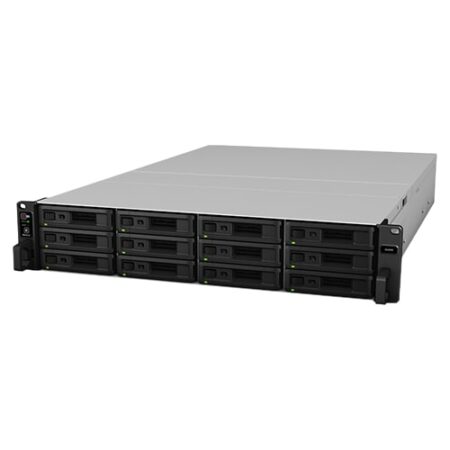

Synology SA3600 12-Bay 16 GB RAM Rackmount Network Storage Enclosure (16 GB RAM)
Synology SA3600 12-Bay NAS Enclosure Rackmount Network Attached is designed for large-scale data storage. Its comprehensive data protection solutions, including multi-version backup for server and virtual machines, hybrid cloud integration, and high-availability technology support, make it a reliable server for massive storage deployment.
Out of stock
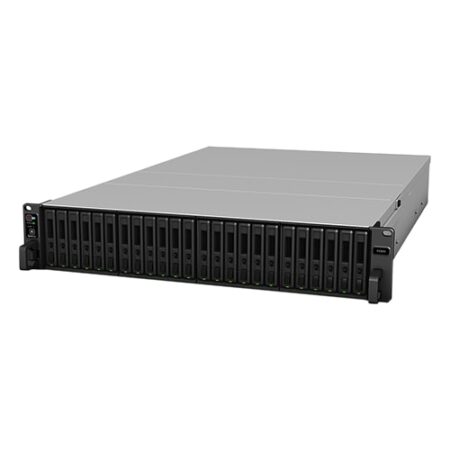

Synology FS3600 FlashStation 24-Bay NAS Enclosure (16 GB RAM)
Synology FS3600 FlashStation 24-Bay Network Storage Enclosure boosts the performance of I/O sensitive applications, such as databases, virtual machines, or online transaction processing (OLTP). Featuring a 12-core CPU and high-speed network connection, the FS3600 delivers over 195,000 iSCSI 4K random write IOPS to satisfy enterprise demand for high-speed infrastructure.
Out of stock
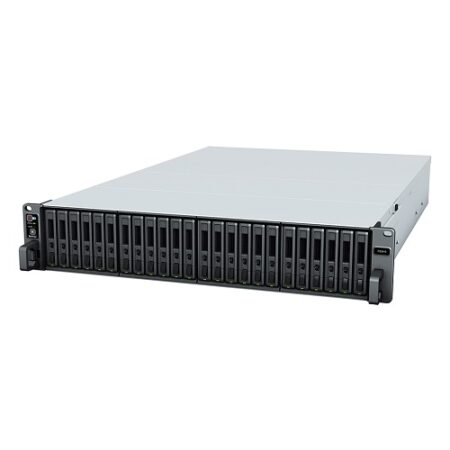

Synology 24-Bay FlashStation FS3410 (Diskless)
Synology FlashStation FS3410 24-bay NAS Enclosure is an all-flash server engineered to boost the responsiveness of I/O-intensive applications.
Out of stock


Synology RackStation RS820RP+ – NAS server – 4 bays – Rack-mountable – SATA 6Gb/s – RAID 0, 1, 5, 6, 10, JBOD – RAM 2 GB – Gigabit Ethernet – iSCSI – 1U – (Enclosure)
Synology RackStation RS820RP+(Enclosure) is designed for businesses pursuing an effective and centralized data management. It comes with four drive trays and 1GbE LAN ports and supports an optional 10GbE network or M.2 SSD adapter card, providing fast data transmission and reducing IO latency.
Out of stock


Synology DS420j DiskStation 4-Bay 1GB RAM Network Storage Enclosure
DS420j is a 4-bay desktop NAS designed for Home NAS with over 60TB raw capacity support, suitable for data backup and file sharing.
Out of stock
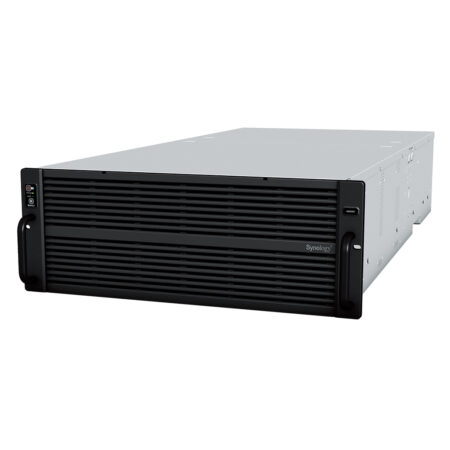
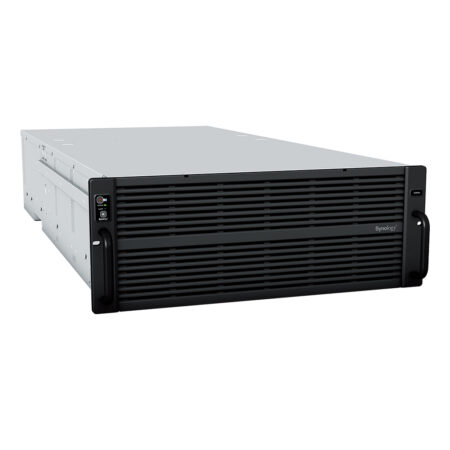
Synology 60-Bay Rackmount High Density Storage Server Hd6500 (Diskless)
Synology High Density HD6500 – NAS Server with 60 bays in a 4U rackmount enclosure and support for up to 300 drives after expansion, the Synology HD6500 is the ideal high-density storage solution for large-scale warm and cold storage applications
Out of stock
Reviews
There are no reviews yet.