

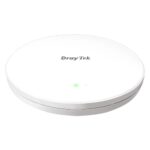
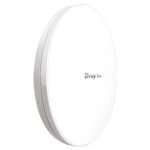
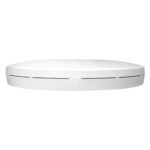
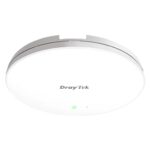
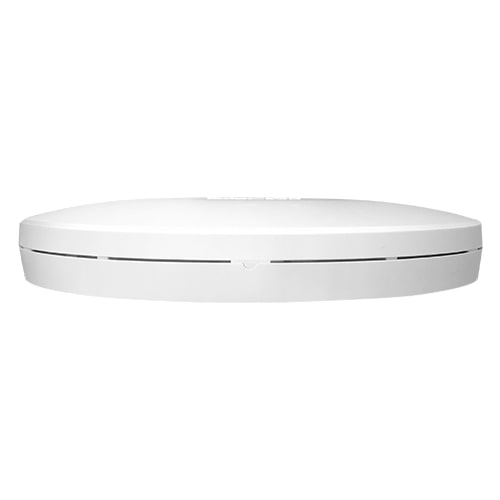
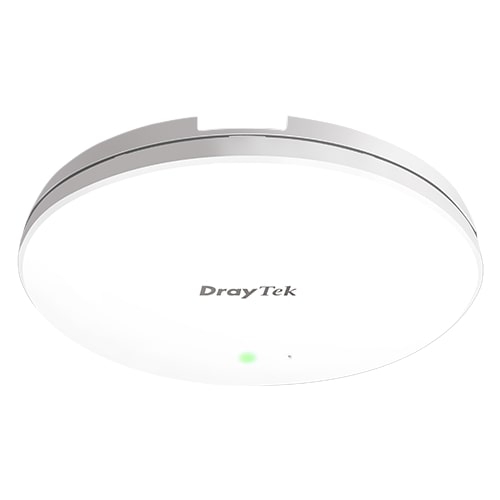
DrayTek VigorAP 960C AX1800 PoE WiFi 6 Access Point (AX)

£230.47 inc.VAT / £192.06 exc.VAT
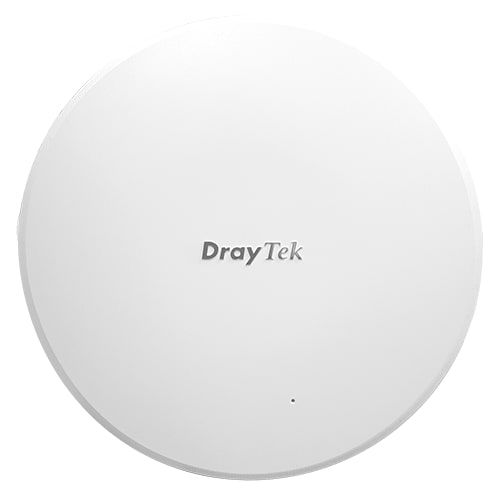
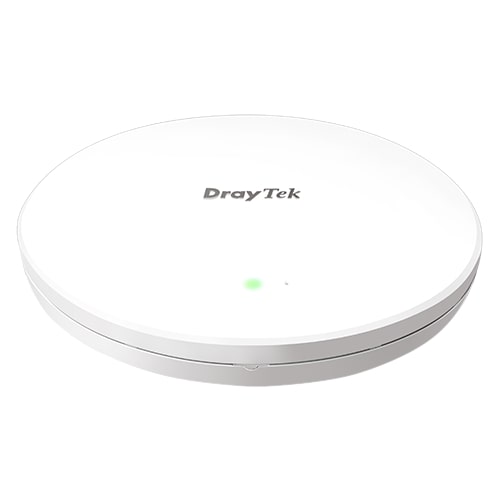
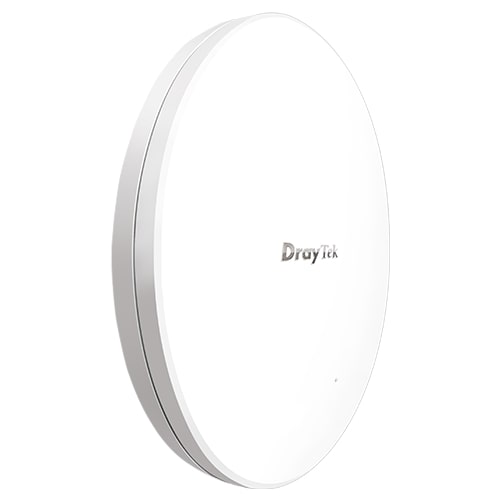
DrayTek VigorAP 960C WiFi 6 PoE Mesh Access Point (1775Mbps AX)
The DrayTek VigorAP 960C WiFi 6 PoE Access Point offers up to 1.8Gbps Dual-Band wireless rates. WiFi 6 brings significantly improved efficiency, better overall performance and reliably handles more clients per AP. DrayTek’s Mesh with VLAN capability can significantly reduce the cost of network deployments, improves coverage and eliminates WiFi dead zones for homes and businesses.

DrayTek VigorAP 960C WiFi 6 PoE Mesh Access Point (1775Mbps AX)
DrayTek VigorAP 960C AX1800 PoE WiFi 6 Access Point (AX)
The DrayTek VigorAP 960C WiFi 6 PoE Access Point offers up to 1.8Gbps Dual-Band wireless rates. WiFi 6 brings significantly improved efficiency, better overall performance and reliably handles more clients per AP. DrayTek’s Mesh with VLAN capability can significantly reduce the cost of network deployments, improves coverage and eliminates WiFi dead zones for homes and businesses.
Key Features
- WiFi 6 – Fast & Efficient
AX1800 Dual-Band WiFi 6 Access Point – More efficient with lower latency and higher capacity. - WPA3 Security & VLANs
Supports the latest WiFi security standard. Segment wireless networks with VLANs and WPA3-Enterprise. - Mesh Wireless
Link up to eight (8) DrayTek VigorAP access points over wireless with Mesh. Mesh auto configures wireless links. - Multi-SSID over Mesh
DrayTek’s Mesh solution provides separate wireless networks over Mesh with VLAN support. - Gigabit Power over Ethernet
Power the VigorAP 960C through its Gigabit Ethernet cable with standard IEEE 802.3af PoE. - Easy to Configure and Manage
Quickly and easily configure the VigorAP 960C to fit your requirements with the DrayTek Wireless app. - Ceiling or Wall Mounted
Flexible mounting options allow the VigorAP 960C to be fitted to walls or ceilings easily. - AP & Repeater Modes
Extend wireless signal from an existing network or use the VigorAP 960C as a stand-alone AP. - Cloud Management and More
Manage VigorAPs from the cloud with DrayTek VigorACS (not included), or manage all APs on site in one place. - Mobile Device Management
Visualise client data usage and control client access through the VigorAP 960C’s advanced web interface. - AP-Assisted Roaming
DrayTek VigorAPs ensure that clients are always connected to their closest access point. - Wireless Optimisation
Band Steering, Airtime Fairness and more help to improve user experience and performance.
WiFi 6 – Fast & Efficient
The DrayTek VigorAP 960C is a WiFi 6 AX1800 access point. This wireless standard does more than simply boost speeds for single users, it improves overall performance for busy environments. More efficient resource sharing results in greater overall performance, lower latency and less pauses in connectivity for users.
To achieve this, WiFi 6 (also known as 802.11ax) brings in several new technologies (including some features used extensively by 4G and LTE networks), to enhance speeds even as many users demand content at the same time. As more devices need bandwidth more frequently, WiFi 6 utilises the following key technologies to enable this:
- Higher Capacity with OFDMA and Multi-User MIMO
- Less Interference with BSS Coloring
- Dual-Band Performance Boost with 2.4GHz and 5GHz WiFi 6
- Stronger Security with WPA3
- Better Battery Life on Mobile Devices with Target Wake Time
Higher Capacity with OFDMA and Multi-User MIMO
A key feature of WiFi 6 is OFDMA, short for Orthogonal Frequency Division Multiple Access. 4G networks and now WiFi 6 use this to provide data to many users at once. With previous WiFi standards, wireless communication simply sent to one client, then moved on to send to the next. This becomes more inefficient as the number of clients connected increases, users wait longer for their turn, causing more packet loss, laggy video and buffering.
OFDMA splits up the channel bandwidth and uses complex scheduling in the background to determine which users need more resources at any one moment. Users watching videos would be allocated more, while a phone just checking email or on a voice call would be assigned less, just as much as each one requires. The result is that everyone receives data more regularly and with greater overall speeds, making each AP more able to service more clients, doing more. In addition, 802.11ax makes improvements to Multi-User MIMO – where the previous standard only supported this for downstream, 802.11ax improves this to support both directions.
Less Interference with BSS Coloring
Managing interference with wireless networks is often difficult, whether conflicting with neighbouring networks or managing channel assignment for wireless networks spanning multiple APs; If another network is transmitting on the same channel, this will cause drops in performance for everyone, while clients and access points wait for the air to clear before sending.
WiFi 6 introduces a feature called ‘BSS Coloring’, with BSS being the Basic Service Set, or Access Point. Each WiFi 6 wireless network adds a unique identifier/number to its transmissions. WiFi 6 clients can use this to determine whether transmissions are coming from their own network or another. If the detected transmission doesn’t match the BSS Colour of the wireless network, the client can choose to ignore the transmission if it’s far enough away. The result is better performance and better handling of interference, where wireless channels are shared with other networks.
Dual-Band Performance Boost with 2.4GHz and 5GHz WiFi 6
The 802.11ax standard brings performance improvements to both 2.4GHz and 5GHz bands, giving better performance to both. The previous 802.11ac WiFi 5 standard only brought its performance improvements to the larger 5GHz band. This allows for better performance at range and through walls with 2.4GHz frequency, while still having all the benefits of WiFi 6 technology – allowing the VigorAP 960C and its clients to make full use of the bandwidth available.
Better Battery Life on Mobile Devices with Target Wake Time
With more and more connected devices, including IoT smart devices, many of which run on batteries, improving battery life is always a priority. Target Wake Time allows client devices to extend their battery life by staying in lower power states for longer and only checking in with the wireless network when needed. Instead of periodically contacting an access point to stay connected, WiFi 6 client devices negotiate with the VigorAP 960C access point, arranging when to start transmitting again to suit their requirements.
WPA3 Wireless Security & VLANs
The VigorAP 960C supports the latest WPA3 security standards and offers a multitude of network management features to allow implementation of complex wireless networks. Hotspot Web Portal is also available for Captive Portal and branding on hospitality WiFi networks. WPA3-Enterprise security offers greater 192-bit encryption strength for networks using RADIUS & 802.1x authentication. RADIUS authentication can be managed either with an external server or the VigorAP’s built-in RADIUS server. The VigorAP 960C supports up to four (4) wireless networks per wireless band. Fully segmented from each other with 802.1q VLANs, guest network access is fully separated from internal company data.
Mesh Wireless
Mesh wireless enables wireless networks to provide fast connectivity to all clients without cabling between VigorAP access points. Simply set up a Mesh Root and add some Nodes with the DrayTek Wireless App and the DrayTek Mesh will determine the best path between access points to provide the best user experience.
The Mesh Root VigorAP links up to your existing internet router. The self-healing Mesh allows VigorAPs to re-establish their links if one VigorAP in the chain if the signal is blocked to a Mesh Nodes usual uplink. Your devices see a single WiFi network (SSID) and connect to the nearest VigorAP in the Mesh. Internet connectivity relays through the Mesh, using the 5GHz WiFi 6 radio to rapidly transfer your data through other VigorAPs in the Mesh.
Mesh – Auto-Optimising & Self-Healing
A DrayTek Mesh Wireless network can easily add new Mesh Nodes to expand. It self-organises links between up to eight (8) DrayTek VigorAP access points, ensuring the best coverage and performance. If a Mesh Node’s loses contact with its uplink, for instance if there’s interference or the VigorAP it connects to is turned off, each Mesh Node automatically re-connects to the next available point, resuming service with no manual intervention required. Mesh Nodes further away will connect wirelessly to the nearest Mesh Node, with up to three (3) wireless hops.
Alternatively, where a network connection is available for a VigorAP 960C, join a Mesh Node to the network through Ethernet. Mesh Nodes nearby can join it instead of the Mesh Root, reducing wireless hops and improving overall performance.
Multi-SSID over Mesh
DrayTek’s Mesh system supports 802.1q VLAN tagging for its multiple Wireless networks (or SSIDs), over both wireless and wired Mesh links between VigorAPs. Each SSID provided by the Mesh network can have a VLAN tag assigned to it. VLAN tags are interpreted by the network’s router and switch(es) to segregate one network from another. For instance keeping devices connecting to a guest network separate from resources on the private, internal network.
Setting up a Mesh network to work with VLANs only requires setting up the Mesh Root with the VLAN tags on its SSIDs. This change is synced to Mesh Nodes allowing Multi-SSID over Mesh to be used just like a cabled network of access points.
Gigabit Power-over-Ethernet
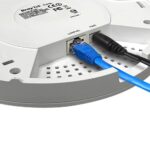
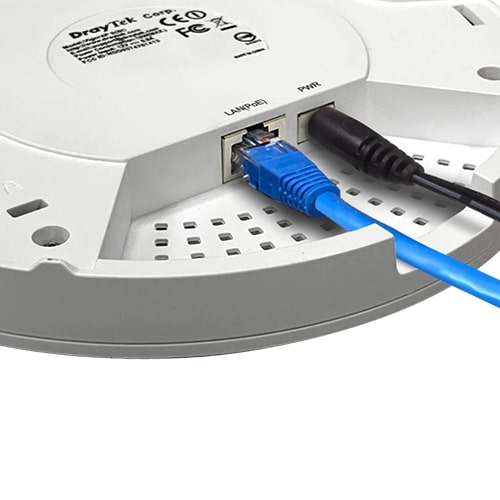
The VigorAP 960C is designed to suit any application, with built-in PoE (Standard IEEE 802.3af Power over Ethernet) as standard , along with the option for powering via DC power supply. Connect the device to a PoE-enabled Ethernet switch or PoE injector to power it without local power to the unit (power supply) – the VigorAP 960C will take its power from the Ethernet cable.
PoE is ideal for office installations where Ethernet is available but power isn’t. It also provides some great management features, the PoE Device Check feature of PoE VigorSwitch switches can monitor and alert if a PoE device stops responding, or providing its services. In Mesh wireless networks, where PoE may not be possible, the VigorAP 960C can be powered via DC power supply, with its Ethernet port available for use as an uplink to the Mesh network.
Easy Setup with the DrayTek Wireless app
DrayTek’s Wireless app assists you with setting up VigorAP 960C access points and a Mesh Wireless network. Once installed on your Smartphone or Tablet, use the Quick Start Wizard to set your VigorAPs to operate as a Mesh Wireless network. Set up a single VigorAP 960C as a stand-alone Access Point, or extend an existing wireless network as a Range Extender.
Simply scan the access point’s QR code to detect it, or manually input the VigorAP 960C’s default SSID & password, then configure your wireless network with step-by-step guidance. When it’s all set up, view the Mesh Wireless status and connected wireless clients from the app.
Ceiling or Wall Mounted
For a convenient and tidy installation, the VigorAP 960C is designed for installation on ceilings and walls, blending into its surroundings with a matte finish. It’s ideal for providing wireless access to large rooms and public spaces. For mounting on solid ceilings and walls, a circular mounting plate (included with the unit) is fitted and then the VigorAP 960C is secured into place by twisting the device into the mounting plate. For suspended ceilings, additional mounts are included to attach to ceiling T-rails, clipping securely into place. Cabling for the VigorAP 960C can be discreetly run through the mounting plate or through a cable gap in the side. An included cover for this gap can be installed where cables are run through to the back of the access point. The VigorAP 960C can be securely clipped into place in offices with suspended ceilings, or ‘clicked’ into place using the ceiling and wall-mount plate, making it easy to perform maintenance or upgrade from DrayTek’s older ceiling-mount access points.
AP & Repeater Modes
The VigorAP 960C is configurable to suit most networks, with AP and Range Extender modes. In addition to its Mesh capability, it’s ideal as a stand-alone Access Point to provide WiFi connectivity for routers and networks without wireless. Use the VigorAP 960C as a Range Extender to connect to any existing wireless network and boost the signal, extending wireless coverage to areas that otherwise would have a patchy signal.
Cloud Management and More
The DrayTek VigorAP 960C wireless access point can be managed as a stand-alone AP with its extensive web user interface. To manage more than one access point, either for a single site or spanning multiple sites, DrayTek offer a multitude of options for managing VigorAP access points:
Cloud Management – VigorACS
DrayTek’s VigorACS central management platform (not included) makes it possible to manage all DrayTek products from the Cloud or your own private server. DrayTek’s access points, switches and routers can all be managed through the VigorACS management portal, with all of the menu options and features available, just as if they were being set up locally. Dashboard view gives a full overview of a VigorAP’s status and usage. VigorACS is great for managing VigorAPs spread across multiple sites, with AP profiles to configure wireless settings, passwords and VLANs. Apply AP profiles to reconfigure all APs on one site or multiple sites in minutes.
- Ideal Application: Cloud Management and Multi-Site Management.
Router-based Central Management
Manage VigorAP access points centrally through a DrayTek Vigor router’s web interface (router sold separately), to rapidly provision complex wireless configuration. Ideal for networks with 10 to 50 VigorAP access points, either on a single site or across multiple sites connected via VPN tunnel. Provision selected groups to configure them all at once. Optional Auto Provisioning provisions VigorAPs straight out of the box with your Wireless configuration.
- Ideal Application: Single-Site Management and Multi-Site Management via VPN. Up to 50 VigorAP, depending on router model.
VigorAP-based Central Management
New to the VigorAP 960C is the ability to manage all VigorAPs on one site as a group. Simply assign one VigorAP to work as the Root AP and discover other APs on the network to manage them as a group. Any changes made on the root VigorAP can be quickly provisioned to the rest of the group.
- Ideal Application: Single-Site Management without DrayTek Vigor router. Up to 50 VigorAP.
VigorConnect – Central Management Server
To manage large networks of VigorAP access points on one site, DrayTek provide the free VigorConnect management server, which is a Windows-based server platform similar to VigorACS. It allows for instant oversight and rapid provisioning of all VigorAPs and VigorSwitches on a single site. Schedule firmware upgrades to occur out of hours or overnight.
- Ideal Application: Large Single-Site Management. Up to 100 VigorAP and VigorSwitch.
Mobile Device Management
Through the web interface of the VigorAP 960C, network administrators can easily check on AP data usage and clients connected, with options to disconnect or block disruptive clients. Mobile Device Management builds on regular Access Control, which can be used to whitelist and blacklist individual clients. MDM makes it possible to set up SSIDs that only Windows or Apple desktops can connect to, disconnecting Android or iOS clients or vice versa, to suit the requirements of your wireless network. Analytics data from each VigorAP graphs how many wireless clients have connected to the AP over time, as well as how many wireless clients passed by without connecting.
AP Assisted Roaming
Large wireless networks spanning multiple access points may sometimes seem slow to users, because their device is clinging on to a far away access point. Even when a closer access point is available for their device to connect to, which can slow down overall performance for all users connected to that now distant AP.
DrayTek solve this issue with AP-Assisted Roaming, which requires no central controller to operate. With AP-Assisted Roaming, VigorAPs communicate with each other to determine which clients can get a better signal as those clients move around. If a client moves into range of another VigorAP access point, that AP informs the now distant AP, which makes an informed decision to disconnect the remote ‘sticky’ client. Allowing the client to quickly re-associate with their nearest AP, giving the user stronger signal and better speeds.
Wireless Optimisation
DrayTek’s VigorAP 960C access point has many features designed to improve wireless performance on your network, to ensure that every wireless client gets the best possible experience.
- Airtime Fairness
Aims to maximise the total wireless throughput by improving how time is shared between wireless clients to prevent slower clients from negatively affecting other users and to enable faster clients to obtain higher speeds that they’re capable of. - Band Steering
Increases capacity for Vigor Access Points by directing wireless clients that are capable of connecting to 5GHz wireless networks to the wider 5GHz band. The aim is to more evenly distribute wireless clients between the AP’s wireless radios. - Per-SSID Client Limit
Control the number of clients that can connect to any one SSID on the VigorAP 960C along with limiting data rates, for instance limiting a guest network to 10 clients to avoid overloading or disrupting a more important internal network. - Station Control
Limit connection time for individual devices to the VigorAP 960C. Set the limit from 30 minutes to multiple days – once the timer runs out that user is disconnected from the VigorAP 960C and can’t reconnect until the selected Reconnection time has passed. Users connecting to a hospitality WiFi network could be limited to one hour of wireless access, at which point they can’t reconnect until 2 hours have elapsed. - IGMP Snooping
IGMP Multicast traffic broadcasts can use significant amounts of a wireless access point’s available throughput. IGMP snooping allows the VigorAP 960C to determine which clients need to receive these IGMP packets on either the 2.4GHz and 5GHz bands. Once enabled, the VigorAP 960C will only send out IGMP packets to clients that have requested to receive it, leaving throughput available to serve more clients effectively.
Specifications
Physical Interfaces/Controls
- 1 x Gigabit Ethernet LAN Port, RJ45 (accepts PoE Power)
- Factory Reset Button (recessed)
- DC Power Socket
- 1 x Security Lock
Wireless Performance
- AX1800 Class Wireless Access Point
- Max Concurrent Clients: 256 total. 128 per band
- Max Wireless Networks (SSIDs): 8 total. 4 per band
- 2.4GHz: Up to 574Mb/s PHY Rate with 2 Spatial Streams (287Mb/s each)
- 5GHz: Up to 1201Mb/s PHY Rate with 2 Spatial Streams (600Mb/s each)
Wireless Antennas
- 2 x Internal PiFA Dual-Band Antennas
- 2.4GHz Gain: 2.1dBi
- 5GHz Gain: 2.8dBi
Wireless LAN Compatibility
- 2.4GHz Standards: IEEE 802.11ax / b / g / n, 2×2 MU-MIMO
- 5GHz Standards: IEEE 802.11ax / ac Wave 2 / a / n, 2×2 MU-MIMO
Wireless LAN Features
- WiFi 6
- Dual Band 802.11ax – 2.4 GHz & 5Ghz
- Backwards compatible with 802.11ac, 802.11b, 802.11g, 802.11n
- 2.4GHz Channel Bandwidth: 20 / 40 MHz
- 5GHz Channel Bandwidth: 20 / 40 / 80 MHz
- 2.4GHz Channels: 1 to 13
- 5GHz Channels: Extended 5Ghz Band – Channels 36-48, 52-64, 100-140
- DFS/TPC Support for 5GHz channels 52 to 140
- OFDMA – Higher Efficiency
- BSS Coloring – Improves Interference Handling
- TX Beamforming
- 1024-QAM
- Multi-User MIMO
Security Features
- Wireless Encryption:
- WPA2: Personal, Enterprise (802.1x)
- WPA3: Personal, Enterprise, OWE
- also supports WPA/WEP for legacy applications
- Built in 802.1x server (PEAP / EAP-TLS)
- 802.1x RADIUS Proxy (PEAP / EAP-TLS)
- PMK Caching & Pre-authentication
- Wireless Client Isolation
- Controllable Isolation of 2.4GHz and 5GHz bands
- Hidden SSIDs (Selectable)
- WPS – WiFi Protected Setup
- MAC Address Filtering (ACL) – Up to 256 entries
- Mobile Device Management
- EAPOL Key Retry – Protect unpatched WLAN clients from KRACK
Access Point Modes
- Access Point
- Mesh Root
- Mesh Node
- Range Extender
Security Features
- Wireless Encryption:
- WPA2-Personal (WPA2/PSK)
- WPA2-802.1x
- WPA3-Personal
- Mixed (WPA2+WPA3)/PSK
- also supports WPA/WEP (Not recommended)
- Built in 802.1x server (PEAP / EAP-TLS)
- 802.1x RADIUS Proxy (PEAP / EAP-TLS)
- PMK Caching & Pre-authentication
- Wireless Client Isolation
- Control Isolation of 2.4GHz and 5GHz bands
- Hidden SSIDs (Selectable)
- WPS – WiFi Protected Setup
- MAC Address Filtering (ACL) – Up to 256 entries
- Mobile Device Management
- EAPOL Key Retry – Disable EAPOL Key Retry to protect unpatched WLAN clients from KRACK
Wireless Control Features
- Wireless Client Status List in WUI
- Up to four distinct SSIDs (for VLANs) for each frequency band (2.4/5Ghz)
- Client Limit: Per Radio & Per SSID
- MAC Cloning
- 802.1q VLAN
- Built-in DHCP Server & DHCP Relay
- Station Control – Time limit wireless connectivity per Station (e.g. 1 hour) & set allowed Reconnection time (e.g. 1 day)
- Device Object/Group Control – Schedule access for individual devices or groups
Wireless Performance Optimisation
- Airtime Fairness
- Band Steering
- AP-Assisted Client Mobility
- WMM (Wireless MultiMedia)
- Bandwidth Management (Per Station / Per SSID)
- Fast Roaming 802.11r
Mesh Features
- Up to 8 APs per Mesh Group
- Up to 3 Mesh Hops per chain with optional Wired Uplinks
- Config Sync
- Self-Healing
- Can be configured & managed with the DrayTek Wireless App
- Mesh Syslog
Diagnostic Features
- Dashboard: Traffic Graph & Client Usage
- System Log
- Data Flow Monitor
- Speed Test
- Traffic Graph
- Wireless LAN Statistics
- Interference Monitor – Built-in Site Surveyor
Management
- Web Interface (HTTP/HTTPS)
- DHCP Client
- TR-069 Control (For VigorACS or other TR-069 platform)
- CLI (Command Line Interface) – Telnet
- Firmware upgrade by TR-069/HTTP
- Central AP Management (from compatible DrayTek router/controller)
- SNMP v2, v2c, v3
- Management VLAN
- Configuration File Export (with password) & Import
- Wireless Auto On/Off
- Schedule: WiFi Up/Down, Auto-Reboot, LED On/Off
Power Requirements
- Maximum Power Consumption: 11 Watt
- DC 12V via external 100-240v AC/DC PSU
- 802.3af PoE via LAN port. Requires PoE injector or a PoE switch
Environmental & Physical
- Operating Temperature: 0ºC to 40ºC
- Operating Humidity: 10% to 90% (Non-condensing)
- Physical Dimensions (W x H x D): 178 x 178 x 35 mm
- Weight: 0.38 kg
- Ceiling or Wall Mountable (requires rear cable entry)
Package Contents
- 1 x VigorAP 960C
- 1 x Ceiling Mount Bracket
- 1 x T-Rail Bracket & Screws
- 1 x Side slot cover for use with rear cable entry
- 1 x Quick Start Guide
- 1 x Ethernet Cable
Standard Warranty: 2-Years
Only logged in customers who have purchased this product may leave a review.
Related Products
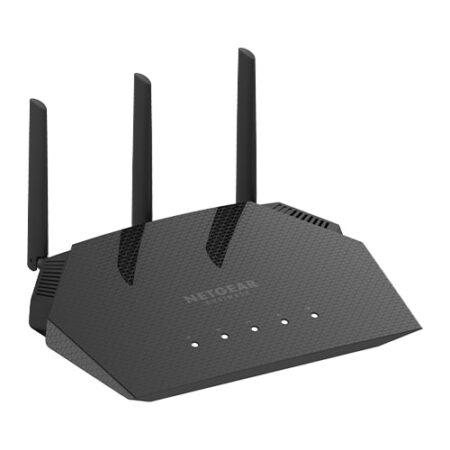
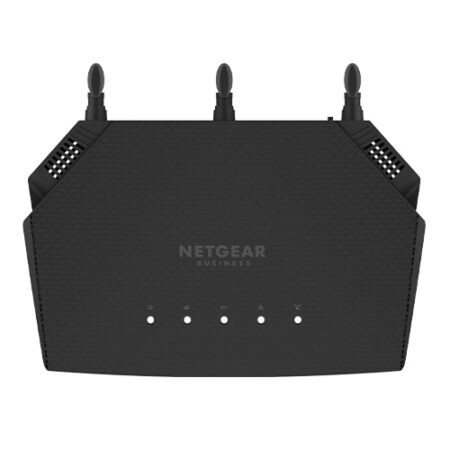
NETGEAR WAX204 Essentials WiFi 6 Access Point (1800Mbps AX)
The NETGEAR WiFi 6 AX1800 Dual Band Wireless Access Point (AP) delivers 802.11ax (WiFi 6) high performance wireless connectivity for Small Office and Home Office (SOHO) deployments and supports dual band concurrent WiFi 6 operations at 2.4GHz and 5GHz with a combined throughput of 1.8Gbps (600Mbps at 2.4GHz and 1200Mbps at 5GHz). The WAX204 WiFi 6 Access Point provides standalone configuration with easy setup for a reliable, 802.11ax (WiFi 6) high performance wireless solution.
Out of stock
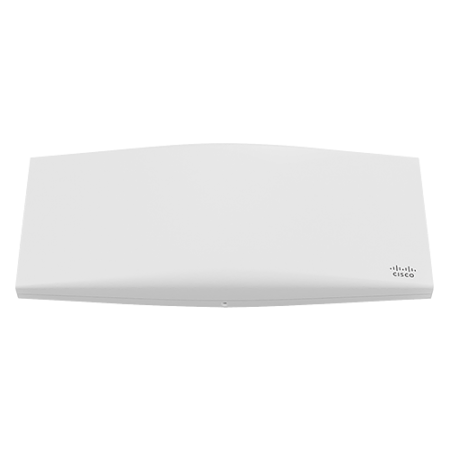

Meraki MR56 Cloud Managed WiFi 6 PoE+ Access Point w/ 1-Year Enterprise Licence (5951Mbps AX)
The Meraki MR56 Cloud Managed WiFi 6 PoE+ Access Point raises the bar for wireless performance and efficiency. Designed for next-generation deployments in offices, schools, hospitals, shops, and hotels, the MR56 offers high throughput, enterprise-grade security, and simple management. The MR56 provides a maximum of 5.9 Gbps aggregate frame rate with concurrent 2.4 GHz and 5 GHz radios. A dedicated third radio provides real-time WIDS/WIPS with automated RF optimisation, and a fourth integrated radio delivers Bluetooth scanning and beaconing.
Out of stock
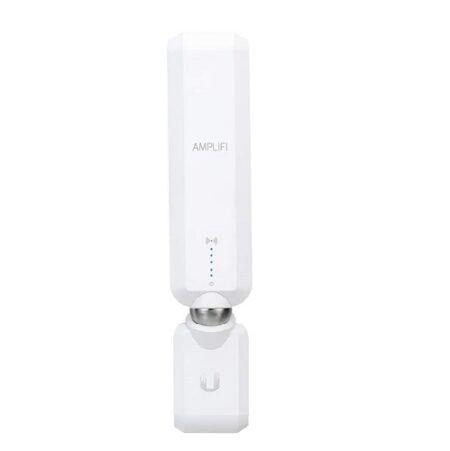
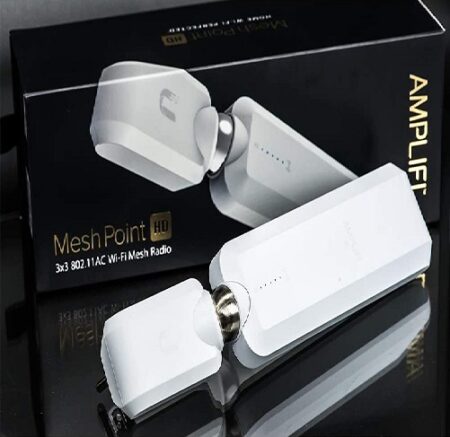
Ubiquiti AmpliFi HD Home Mesh WiFi Antenna AFI-P-HD-UK
The Ubiquiti AmpliFi HD Mesh Point AFi-P-HD UK Version (High Density) Mesh Point features an adjustable super antenna. It can be used to expand the coverage of an AmpliFi Mesh System or turn an existing router or Wi-Fi cable box into a powerful mesh network.
35 in stock
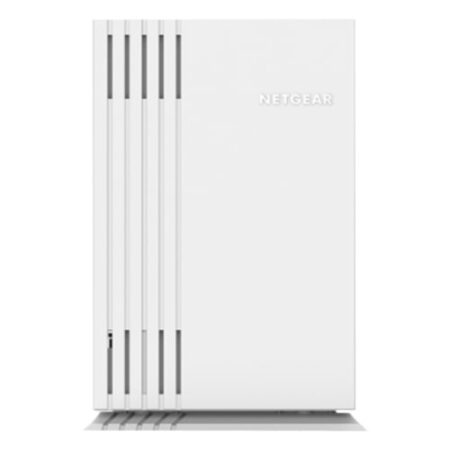
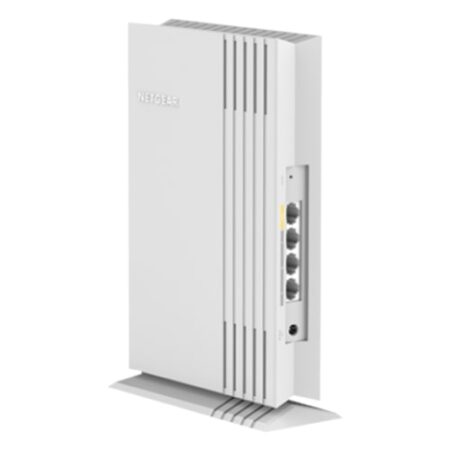
NETGEAR WAX202 Essentials WiFi 6 Access Point (1800 Mbps AX)
NETGEAR WAX202 WiFi 6 Access Point delivers 802.11ax (WiFi 6) high-performance wireless connectivity for Small Office and Home Office (SOHO) deployments.
Out of stock

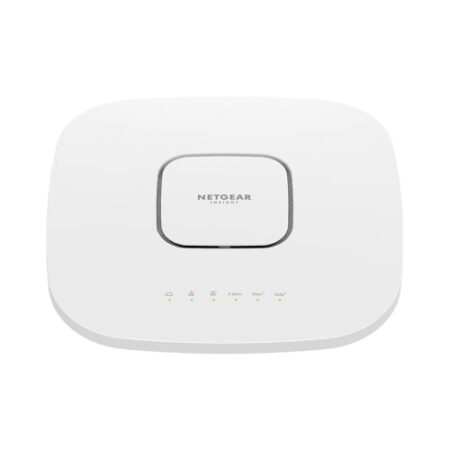
NETGEAR WAX630E Tri-Band WiFi 6E Access Point w/ Insight (7800Mbps AX)
The NETGEAR WAX630E Tri-Band WiFi 6E Access Point is a 2.4GHz, 5GHz and 6GHz tri-band access point delivering up to 7.8Gbps total WiFi throughput, supported by 2.5Gbps Power-over-Ethernet and a 1Gbps Ethernet port. The WAX630E enables WiFi 6E, operating on the 6GHz band to deliver unprecedented data throughput speed and available channels for WiFi connectivity with smartphones, IoTs, and computers.
16 in stock

Cisco Meraki MR36 Cloud Managed 2×2 WiFi 6 PoE 802.11ax Access Point (1774Mbps AX)
This device does not come supplied with a PoE injector – please see accessories tab.
Out of stock
Ruckus ZoneFlex R350 Indoor 802.11ax WiFi-6 Wi-Fi Access Point
Ruckus ZoneFlex R350 Wifi-6 having Smaller locations can face big-time demands on their wireless infrastructure.
10 in stock


Ubiquiti U6-Lite UniFi WiFi 6 PoE Access Point (1500 Mbps AX)
Ubiquiti U6-Lite WiFi 6 PoE Access Point delivers up to 1.5 Gbps aggregate radio rate with 5 GHz (MU-MIMO and OFDMA) and 2.4 GHz (MIMO) radios.
345 in stock


Ubiquiti U6-LR UniFi Long Range WiFi 6 PoE+ Access Point (3000 Mbps AX)
Please note: Does not include PoE injector.
Note.Due to chip supply shortages,the U6 AP`s LED has been limited to only white & blue color modes.
Ubiquiti U6-LR UniFi Long Range AX3000 WiFi 6 PoE+Access Point (AX) is a high-performance Access Point
399 in stock
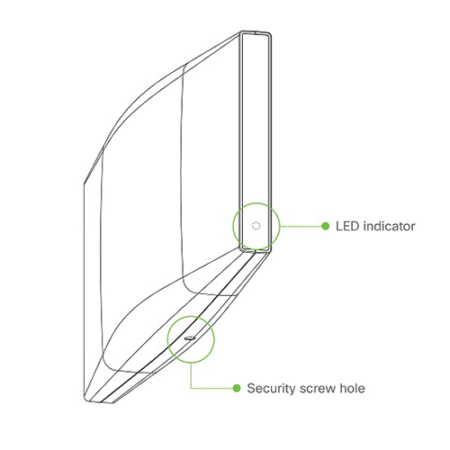
Meraki MR46 Cloud Managed WiFi 6 PoE+ Access Point w/ 3-Year Enterprise Licence (3549Mbps AX)
The Meraki MR46 Cloud Managed WiFi 6 PoE+ Access Point raises the bar for wireless performance and efficiency. Designed for next-generation deployments in offices, schools, hospitals, shops, and hotels, the MR46 offers high throughput, enterprise-grade security, and simple management. The MR46 provides a maximum of 3.5 Gbps aggregate frame rate with concurrent 2.4 GHz and 5 GHz radios. A dedicated third radio provides real-time WIDS/WIPS with automated RF optimisation, and a fourth integrated radio delivers Bluetooth scanning and beaconing.
Out of stock
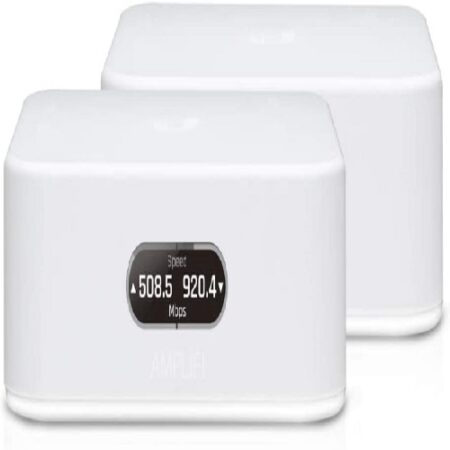
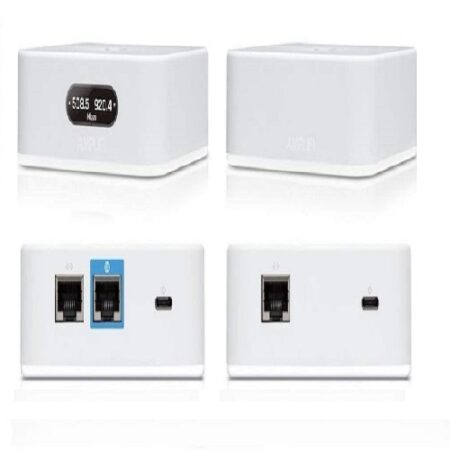
Ubiquiti AmpliFi Instant Home Mesh Wireless System – AFI-INS-UK
The Ubiquiti AmpliFi Instant Home WiFi System AFI-INS is a home WiFi system with mesh technology, supercharged 802.11ac WiFi and super easy setup AFI-INS .includes a router with an easy-to-use touchscreen display, 1 Gigabit Ethernet port, a WAN port, an Ethernet cable, and one Mesh Point with an Ethernet port to maximize coverage and eliminate dead zones in your home. The AmpliFi Instant WiFi system provides superior coverage with a range of up to 4,000 sq. ft and quick setup for whole home coverage with seamless WiFi.
Out of stock

NETGEAR WAX615 WiFi 6 Access Point w/ Insight (3000Mbps AX)
12 in stock
Reviews
There are no reviews yet.